Cascade
Getting multiple sheets with combined dimensions.
Availability
| Features | Microsoft | |||||||
|---|---|---|---|---|---|---|---|---|
| Essbase | SSAS | Planning | PBCS | Essbase | SSAS | Planning | PBCS | |
| Cascade | ✅ | ✅ | ❌ | ❌ | ✅ | ✅ | ❌ | ❌ |
How to access the feature
Cascade can be accessed by having a grid on Ad-Hoc and pressing Cascade at the right most part of the applications toolbar.
This will effectively open the cascade prompt.
How to use the feature
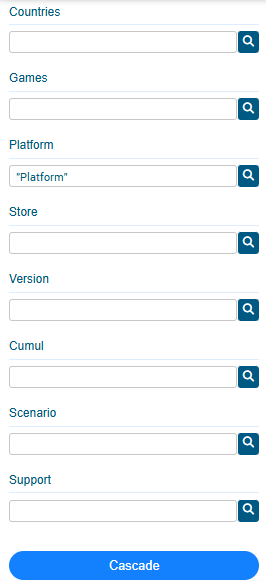
From this prompt, you must select at least one member from two differents dimensions and then press the Cascade button, the plugin will create sheet for each possible combination of members.
Although there is no limit to the number of combinations you can do, keep in mind that having too much possible combinations will result in long time of processing and high number of sheets.