Settings
Settings management allows the client to preconfigure the default settings applied to all users.
Settings can be imported and exported using a .json file.
Managing Client Settings
Settings are accessible from the “Settings” view by clicking the “Manage Client Settings” button.
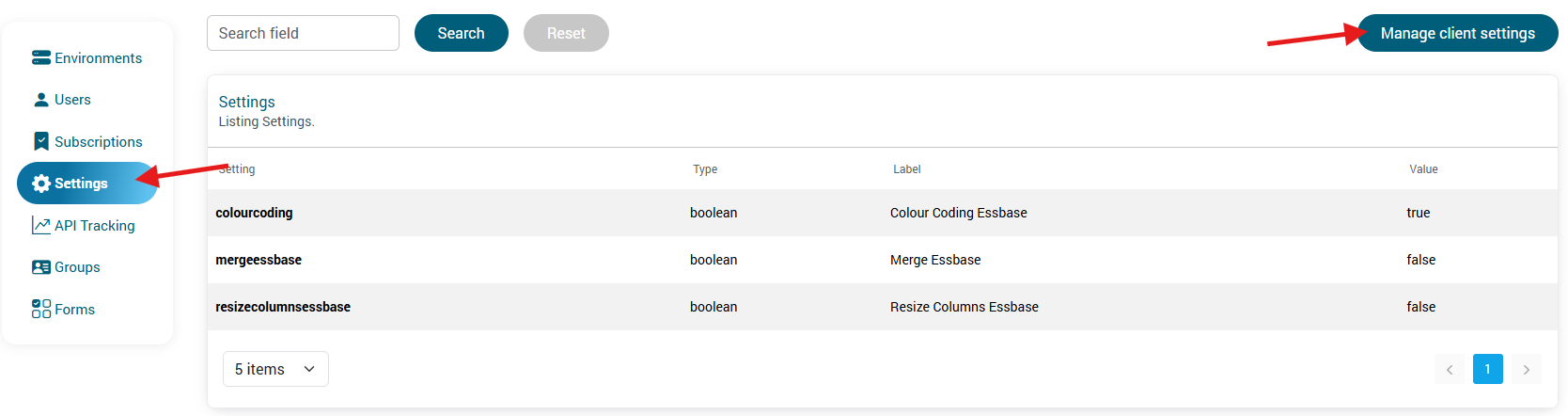
A window opens, allowing you to:
- edit default settings,
- import a .json file,
- export existing settings.
Configured settings can be used directly in QiBates.
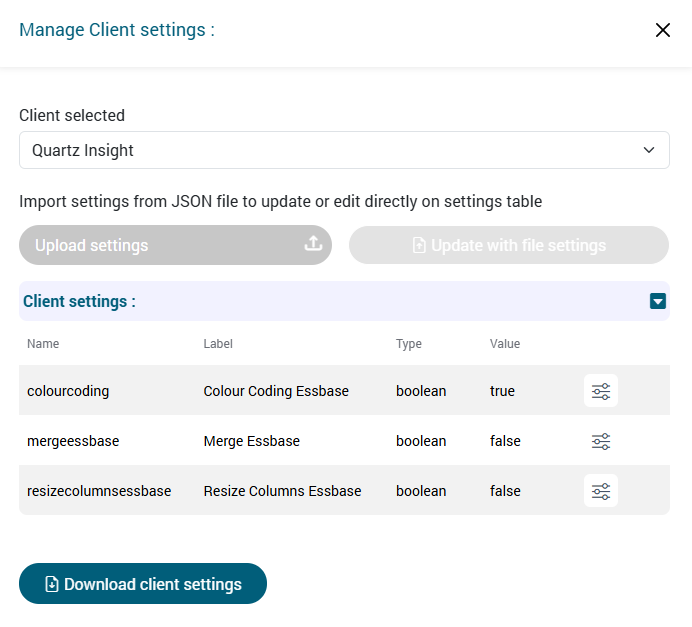
Editing Settings
To modify the settings:
- Click the appropriate edit button.

- Select the value to modify.
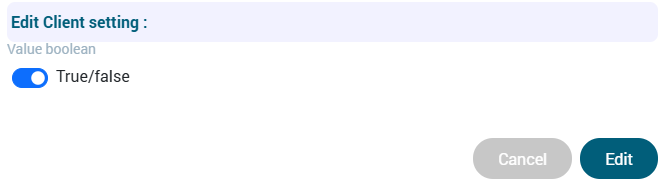
- Click “Edit” to save the changes.
Exporting Settings
Settings can be exported by clicking “Download Client Settings”.

A .json file is then downloaded.
It contains all settings as configured in the Manager and can be imported into the Settings view in QiBates.
Importing Settings
To import settings into the Manager:
- Click “Import Settings”.
- Select a .json file from your computer.
- Click “Update” to apply the settings.

The imported file may originate from QiBates or from the Manager.